Fund Details capture key information about money coming into the fund (Total Funding Committed and Total Income Received), money leaving the fund (Total Disbursements, Outstanding Financial Obligations, and Pending Opportunities), and current balances (Current Fund Cash Balance and Available Funds).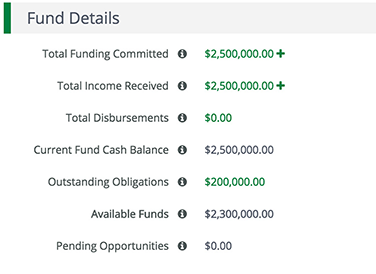
- OpenFund Management>Funds.
- Click afund name.
- Open theFund Management tab>Income.
- Click the(Delete icon)next to a funding source name.

- In the confirmation pop-up window, clickDelete.
Comments
0 comments
Please sign in to leave a comment.