AmpliFund contains system-generated folders that are accessible fromDocuments. Additionally, users can create folders within these main system folders. TheAdministratorandPublicfolders are only accessible fromDocuments; however, theFunds, Grants, Individuals, Organizations,Projects, andStafffolders can be accessed from the fund, grant, individual, organization, project, and staff records, respectively.
Users can create folders and sub-folders within the main system folders. Folders created on the object record will also appear inDocuments, and vice versa.
- OpenDocuments>folder.
- Click the(Create Folder icon)in theIcon Bar.
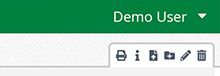
- In the pop-up window, add a folderName.
- ClickCreate.
--OR--
- Open anobject record, such as a fund, grant, or individual.
- Open theTools tab>Documents.
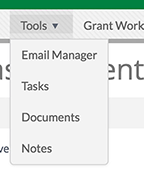
- Click the(Create Folder icon)in theIcon Bar.
- In the pop-up window, add a folderName.
- ClickCreate.
Comments
0 comments
Please sign in to leave a comment.